Introduction
Voice interfaces have moved from novelty to expectation. Users now assume they can talk to apps—dictating messages, searching by voice, and having conversations translated in real-time. The underlying technology has matured to the point where adding these features is straightforward rather than a research project.
This guide covers practical implementations of voice recognition and translation features in mobile apps, with code examples you can adapt for your projects.
Voice Recognition Options
On-Device vs Cloud
The first decision is where speech processing happens.
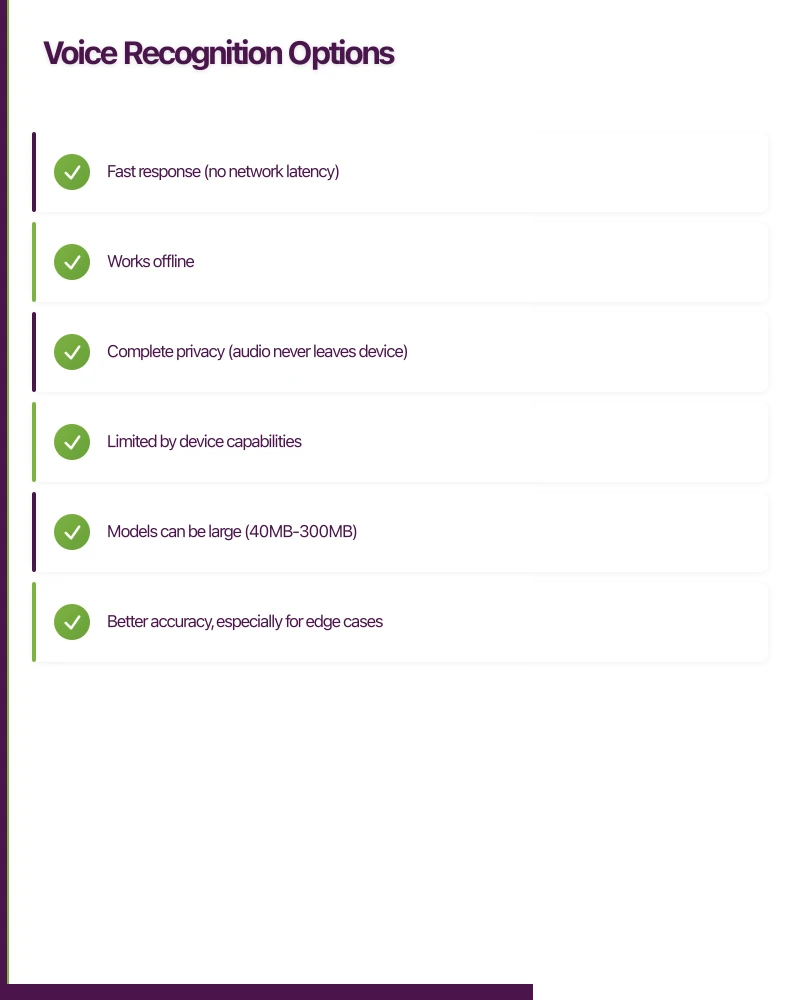
On-device processing:
- Fast response (no network latency)
- Works offline
- Complete privacy (audio never leaves device)
- Limited by device capabilities
- Models can be large (40MB-300MB)
Cloud processing:
- Better accuracy, especially for edge cases
- Supports more languages
- Smaller app size
- Requires network connectivity
- Audio is sent to third-party servers
Most production apps use a hybrid: on-device for common cases with cloud fallback for accuracy-critical scenarios.
Technology Options
| Option | Type | Pros | Cons |
|---|---|---|---|
| Apple Speech | On-device | Free, native iOS | iOS only, limited customisation |
| Google ML Kit | On-device | Free, cross-platform | Fewer languages than cloud |
| Whisper (local) | On-device | Excellent accuracy | Large model size |
| Google Cloud STT | Cloud | Most languages, best accuracy | Per-minute cost |
| OpenAI Whisper API | Cloud | Great accuracy, simple API | Per-minute cost |
| AWS Transcribe | Cloud | Good AWS integration | More complex pricing |
Implementing Voice Recognition
i
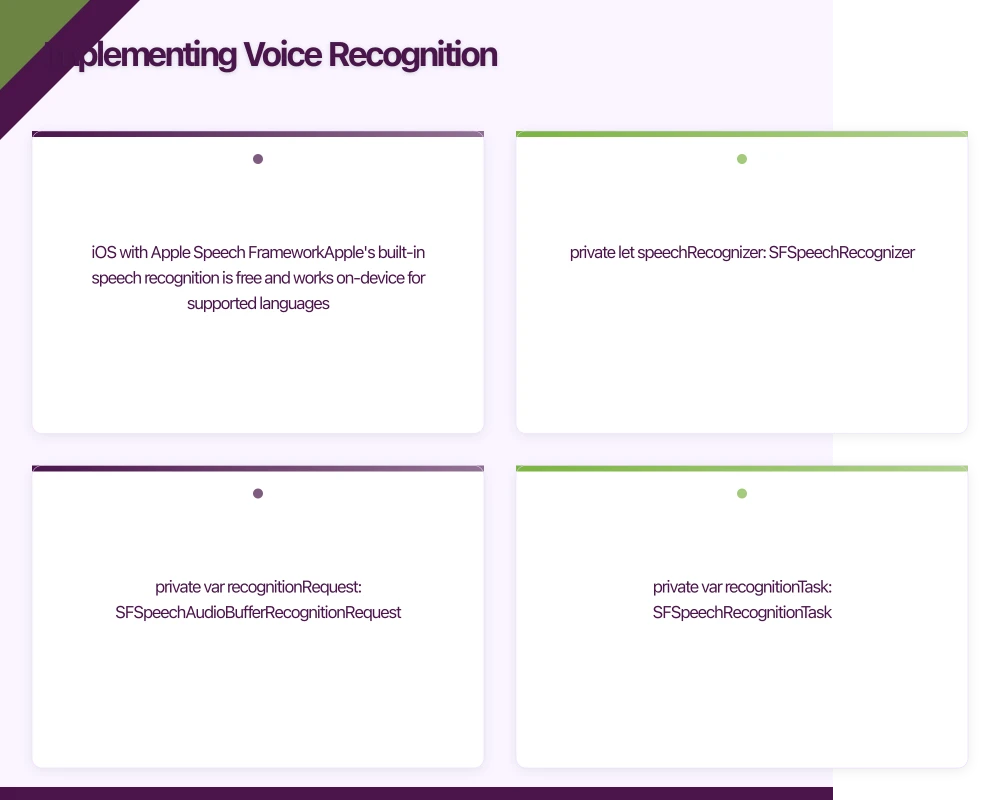 OS with Apple Speech Framework
Apple’s built-in speech recognition is free and works on-device for supported languages.
import Speech
import AVFoundation

class VoiceRecognitionService: ObservableObject {
    @Published var transcript = ""
    @Published var isListening = false
    @Published var error: String?

    private let speechRecognizer: SFSpeechRecognizer?
    private var recognitionRequest: SFSpeechAudioBufferRecognitionRequest?
    private var recognitionTask: SFSpeechRecognitionTask?
    private let audioEngine = AVAudioEngine()

    init(locale: Locale = .current) {
        speechRecognizer = SFSpeechRecognizer(locale: locale)
    }

    func requestAuthorization() async -> Bool {
        await withCheckedContinuation { continuation in
            SFSpeechRecognizer.requestAuthorization { status in
                continuation.resume(returning: status == .authorized)
            }
        }
    }

    func startListening() async throws {
        guard let speechRecognizer = speechRecognizer,
              speechRecognizer.isAvailable else {
            throw VoiceError.recognizerUnavailable
        }

        // Configure audio session
        let audioSession = AVAudioSession.sharedInstance()
        try audioSession.setCategory(.record, mode: .measurement, options: .duckOthers)
        try audioSession.setActive(true, options: .notifyOthersOnDeactivation)

        // Create recognition request
        recognitionRequest = SFSpeechAudioBufferRecognitionRequest()
        guard let recognitionRequest = recognitionRequest else {
            throw VoiceError.requestCreationFailed
        }

        // Enable on-device recognition when available
        if speechRecognizer.supportsOnDeviceRecognition {
            recognitionRequest.requiresOnDeviceRecognition = true
        }

        recognitionRequest.shouldReportPartialResults = true
        recognitionRequest.taskHint = .dictation

        // Start recognition task
        recognitionTask = speechRecognizer.recognitionTask(with: recognitionRequest) { [weak self] result, error in
            guard let self = self else { return }

            if let result = result {
                DispatchQueue.main.async {
                    self.transcript = result.bestTranscription.formattedString
                }
            }

            if error != nil || result?.isFinal == true {
                self.stopListening()
            }
        }

        // Configure audio input
        let inputNode = audioEngine.inputNode
        let recordingFormat = inputNode.outputFormat(forBus: 0)

        inputNode.installTap(onBus: 0, bufferSize: 1024, format: recordingFormat) { buffer, _ in
            self.recognitionRequest?.append(buffer)
        }

        audioEngine.prepare()
        try audioEngine.start()

        DispatchQueue.main.async {
            self.isListening = true
        }
    }

    func stopListening() {
        audioEngine.stop()
        audioEngine.inputNode.removeTap(onBus: 0)
        recognitionRequest?.endAudio()
        recognitionTask?.cancel()
        recognitionRequest = nil
        recognitionTask = nil

        DispatchQueue.main.async {
            self.isListening = false
        }
    }
}

enum VoiceError: Error {
    case recognizerUnavailable
    case requestCreationFailed
    case notAuthorized
}
Android with Google Speech Recognition
import android.content.Context
import android.content.Intent
import android.os.Bundle
import android.speech.RecognitionListener
import android.speech.RecognizerIntent
import android.speech.SpeechRecognizer
import kotlinx.coroutines.flow.MutableStateFlow
import kotlinx.coroutines.flow.StateFlow

class VoiceRecognitionService(private val context: Context) {

    private var speechRecognizer: SpeechRecognizer? = null

    private val _transcript = MutableStateFlow("")
    val transcript: StateFlow<String> = _transcript

    private val _isListening = MutableStateFlow(false)
    val isListening: StateFlow<Boolean> = _isListening

    private val _error = MutableStateFlow<String?>(null)
    val error: StateFlow<String?> = _error

    fun initialize() {
        if (!SpeechRecognizer.isRecognitionAvailable(context)) {
            _error.value = "Speech recognition not available"
            return
        }

        speechRecognizer = SpeechRecognizer.createSpeechRecognizer(context)
        speechRecognizer?.setRecognitionListener(createListener())
    }

    fun startListening(languageCode: String = "en-AU") {
        val intent = Intent(RecognizerIntent.ACTION_RECOGNIZE_SPEECH).apply {
            putExtra(RecognizerIntent.EXTRA_LANGUAGE_MODEL,
                    RecognizerIntent.LANGUAGE_MODEL_FREE_FORM)
            putExtra(RecognizerIntent.EXTRA_LANGUAGE, languageCode)
            putExtra(RecognizerIntent.EXTRA_PARTIAL_RESULTS, true)
            putExtra(RecognizerIntent.EXTRA_MAX_RESULTS, 1)
        }

        speechRecognizer?.startListening(intent)
        _isListening.value = true
    }

    fun stopListening() {
        speechRecognizer?.stopListening()
        _isListening.value = false
    }

    fun destroy() {
        speechRecognizer?.destroy()
        speechRecognizer = null
    }

    private fun createListener() = object : RecognitionListener {
        override fun onReadyForSpeech(params: Bundle?) {
            _error.value = null
        }

        override fun onBeginningOfSpeech() {}

        override fun onRmsChanged(rmsdB: Float) {}

        override fun onBufferReceived(buffer: ByteArray?) {}

        override fun onEndOfSpeech() {
            _isListening.value = false
        }

        override fun onError(error: Int) {
            _isListening.value = false
            _error.value = when (error) {
                SpeechRecognizer.ERROR_AUDIO -> "Audio recording error"
                SpeechRecognizer.ERROR_CLIENT -> "Client error"
                SpeechRecognizer.ERROR_NETWORK -> "Network error"
                SpeechRecognizer.ERROR_NO_MATCH -> "No speech detected"
                SpeechRecognizer.ERROR_SPEECH_TIMEOUT -> "Speech timeout"
                else -> "Recognition error: $error"
            }
        }

        override fun onResults(results: Bundle?) {
            val matches = results?.getStringArrayList(SpeechRecognizer.RESULTS_RECOGNITION)
            _transcript.value = matches?.firstOrNull() ?: ""
        }

        override fun onPartialResults(partialResults: Bundle?) {
            val matches = partialResults?.getStringArrayList(SpeechRecognizer.RESULTS_RECOGNITION)
            matches?.firstOrNull()?.let { _transcript.value = it }
        }

        override fun onEvent(eventType: Int, params: Bundle?) {}
    }
}
Using Whisper for Higher Accuracy
OpenAI’s Whisper model offers excellent accuracy. You can run it on-device or use the API.
On-device with whisper.cpp (React Native):
// Using react-native-whisper library
import { initWhisper, transcribe } from 'react-native-whisper';

class WhisperService {
  constructor() {
    this.whisperContext = null;
  }

  async initialize(modelPath) {
    // Download model from your server or bundle it
    // Models: tiny (39MB), base (74MB), small (244MB)
    this.whisperContext = await initWhisper({
      filePath: modelPath,
    });
  }

  async transcribe(audioPath, language = 'en') {
    if (!this.whisperContext) {
      throw new Error('Whisper not initialized');
    }

    const result = await transcribe(this.whisperContext, audioPath, {
      language,
      translate: false,
      maxLen: 0, // No max length
      tokenTimestamps: false,
    });

    return result.text;
  }

  destroy() {
    if (this.whisperContext) {
      this.whisperContext.release();
      this.whisperContext = null;
    }
  }
}
Cloud API approach:
// Backend service
import OpenAI from 'openai';
import fs from 'fs';

const openai = new OpenAI({ apiKey: process.env.OPENAI_API_KEY });

async function transcribeAudio(audioFilePath: string, language?: string) {
  const audioFile = fs.createReadStream(audioFilePath);

  const transcription = await openai.audio.transcriptions.create({
    file: audioFile,
    model: 'whisper-1',
    language, // Optional: ISO-639-1 code
    response_format: 'json',
  });

  return transcription.text;
}

// Express endpoint
app.post('/api/transcribe', upload.single('audio'), async (req, res) => {
  try {
    const text = await transcribeAudio(req.file.path, req.body.language);
    res.json({ text });
  } catch (error) {
    res.status(500).json({ error: error.message });
  } finally {
    // Clean up uploaded file
    fs.unlinkSync(req.file.path);
  }
});
Adding Real-Time Translatio
n
Once you have text, translation is the next step.
Google Cloud Translation
// Backend translation service
import { TranslationServiceClient } from '@google-cloud/translate';

const translationClient = new TranslationServiceClient();
const projectId = process.env.GOOGLE_CLOUD_PROJECT;

async function translateText(
  text: string,
  targetLanguage: string,
  sourceLanguage?: string
): Promise<TranslationResult> {
  const request = {
    parent: `projects/${projectId}/locations/global`,
    contents: [text],
    mimeType: 'text/plain',
    targetLanguageCode: targetLanguage,
    sourceLanguageCode: sourceLanguage, // Optional: auto-detect if not provided
  };

  const [response] = await translationClient.translateText(request);
  const translation = response.translations?.[0];

  return {
    translatedText: translation?.translatedText || '',
    detectedSourceLanguage: translation?.detectedLanguageCode,
  };
}

interface TranslationResult {
  translatedText: string;
  detectedSourceLanguage?: string;
}

// API endpoint
app.post('/api/translate', async (req, res) => {
  const { text, targetLanguage, sourceLanguage } = req.body;

  try {
    const result = await translateText(text, targetLanguage, sourceLanguage);
    res.json(result);
  } catch (error) {
    res.status(500).json({ error: 'Translation failed' });
  }
});
On-Device Translation with ML Kit
Google’s ML Kit offers on-device translation for common language pairs.
import com.google.mlkit.common.model.DownloadConditions
import com.google.mlkit.nl.translate.TranslateLanguage
import com.google.mlkit.nl.translate.Translation
import com.google.mlkit.nl.translate.TranslatorOptions
import kotlinx.coroutines.tasks.await

class TranslationService {

    private val translators = mutableMapOf<String, com.google.mlkit.nl.translate.Translator>()

    suspend fun downloadModel(languageCode: String): Boolean {
        val translator = getOrCreateTranslator(TranslateLanguage.ENGLISH, languageCode)

        val conditions = DownloadConditions.Builder()
            .requireWifi()
            .build()

        return try {
            translator.downloadModelIfNeeded(conditions).await()
            true
        } catch (e: Exception) {
            false
        }
    }

    suspend fun translate(
        text: String,
        sourceLanguage: String,
        targetLanguage: String
    ): String {
        val translator = getOrCreateTranslator(sourceLanguage, targetLanguage)
        return translator.translate(text).await()
    }

    private fun getOrCreateTranslator(
        sourceLanguage: String,
        targetLanguage: String
    ): com.google.mlkit.nl.translate.Translator {
        val key = "$sourceLanguage-$targetLanguage"

        return translators.getOrPut(key) {
            val options = TranslatorOptions.Builder()
                .setSourceLanguage(sourceLanguage)
                .setTargetLanguage(targetLanguage)
                .build()
            Translation.getClient(options)
        }
    }

    fun close() {
        translators.values.forEach { it.close() }
        translators.clear()
    }
}
Building a Voice-to-Voice Translation Feature
Combining speech recognition, translation, and text-to-speech creates a voice translation feature.
// iOS implementation
import AVFoundation

class VoiceTranslationService: ObservableObject {
    private let speechRecognition = VoiceRecognitionService()
    private let translator = TranslationService()
    private let synthesizer = AVSpeechSynthesizer()

    @Published var sourceText = ""
    @Published var translatedText = ""
    @Published var state: TranslationState = .idle

    enum TranslationState {
        case idle
        case listening
        case translating
        case speaking
    }

    func translate(from sourceLanguage: String, to targetLanguage: String) async {
        state = .listening

        do {
            // Step 1: Listen for speech
            try await speechRecognition.startListening()

            // Wait for speech to complete (simplified - real app would use voice activity detection)
            try await Task.sleep(nanoseconds: 5_000_000_000)
            speechRecognition.stopListening()

            sourceText = speechRecognition.transcript

            if sourceText.isEmpty {
                state = .idle
                return
            }

            // Step 2: Translate
            state = .translating
            translatedText = try await translator.translate(
                text: sourceText,
                from: sourceLanguage,
                to: targetLanguage
            )

            // Step 3: Speak translation
            state = .speaking
            await speakText(translatedText, language: targetLanguage)

            state = .idle

        } catch {
            print("Translation error: \(error)")
            state = .idle
        }
    }

    private func speakText(_ text: String, language: String) async {
        let utterance = AVSpeechUtterance(string: text)
        utterance.voice = AVSpeechSynthesisVoice(language: language)
        utterance.rate = AVSpeechUtteranceDefaultSpeechRate

        await withCheckedContinuation { continuation in
            let delegate = SpeechDelegate {
                continuation.resume()
            }
            synthesizer.delegate = delegate
            synthesizer.speak(utterance)
        }
    }
}

class SpeechDelegate: NSObject, AVSpeechSynthesizerDelegate {
    let completion: () -> Void

    init(completion: @escaping () -> Void) {
        self.completion = completion
    }

    func speechSynthesizer(_ synthesizer: AVSpeechSynthesizer, didFinish utterance: AVSpeechUtterance) {
        completion()
    }
}
Handling Edge Cases
Background Audio
iOS requires specific audio session configuration to work in the background:
func configureAudioSession() throws {
    let session = AVAudioSession.sharedInstance()

    try session.setCategory(
        .playAndRecord,
        mode: .default,
        options: [
            .defaultToSpeaker,
            .allowBluetooth,
            .mixWithOthers
        ]
    )

    try session.setActive(true)
}
Handling Noise
Provide feedback when audio quality is poor:
func onRmsChanged(rmsdB: Float) {
    // rmsdB typically ranges from -160 to 0
    // Values below -50 indicate very quiet audio
    if rmsdB < -50 {
        showFeedback("Speak louder or move closer to the microphone")
    }
}
Language Detection
When the source language is unknown:
import { LanguageServiceClient } from '@google-cloud/language';

const languageClient = new LanguageServiceClient();

async function detectLanguage(text: string): Promise<string> {
  const [result] = await languageClient.analyzeEntities({
    document: {
      content: text,
      type: 'PLAIN_TEXT',
    },
  });

  return result.language || 'en';
}
Cost Optimisation
Voice and translation APIs charge per usage. Here’s how to manage costs:
Cache Translations
import { createClient } from 'redis';

const redis = createClient();

async function translateWithCache(
  text: string,
  from: string,
  to: string
): Promise<string> {
  const cacheKey = `translation:${from}:${to}:${hashText(text)}`;

  // Check cache first
  const cached = await redis.get(cacheKey);
  if (cached) {
    return cached;
  }

  // Translate and cache
  const translated = await translateText(text, to, from);
  await redis.setEx(cacheKey, 86400, translated); // Cache for 24 hours

  return translated;
}
Batch Requests
// Instead of translating one phrase at a time
const phrases = ['Hello', 'Goodbye', 'Thank you'];

// Batch them
const translations = await translateBatch(phrases, 'en', 'ja');
Use On-Device When Possible
func translate(text: String, from: String, to: String) async throws -> String {
    // Try on-device first
    if let onDeviceResult = try? await onDeviceTranslator.translate(text, from: from, to: to) {
        return onDeviceResult
    }

    // Fall back to cloud
    return try await cloudTranslator.translate(text, from: from, to: to)
}
Conclusion
Adding voice recognition and translation to your mobile app is more accessible than ever. The key decisions are:
- On-device vs cloud — balance privacy, speed, and accuracy for your use case
- Which APIs — Apple/Google native for free basics, Whisper for accuracy, cloud for edge cases
- User experience — provide feedback during listening, handle errors gracefully, show translation progress
Start with the simplest implementation that meets your needs. On-device speech recognition with cloud translation covers most use cases at reasonable cost. Add complexity like on-device translation models only when you have specific requirements for offline use or cost reduction.
Voice interfaces are no longer a premium feature—users expect them. The technology is mature, the APIs are straightforward, and the cost is manageable. Time to add voice to your app.
Your app needs secure, low-latency APIs. Cloud Geeks builds and manages cloud backends optimised for mobile applications.
Awesome Apps is the mobile development division of Ganda Tech Services, building iOS and Android apps for Australian businesses.
Talk to a Sydney app developer — free.
30 minutes. We'll tell you what your app needs, how long it takes, and what it costs. Real answers, no sales pitch.
Book Free App Strategy Call →Free · 30 minutes · No obligation